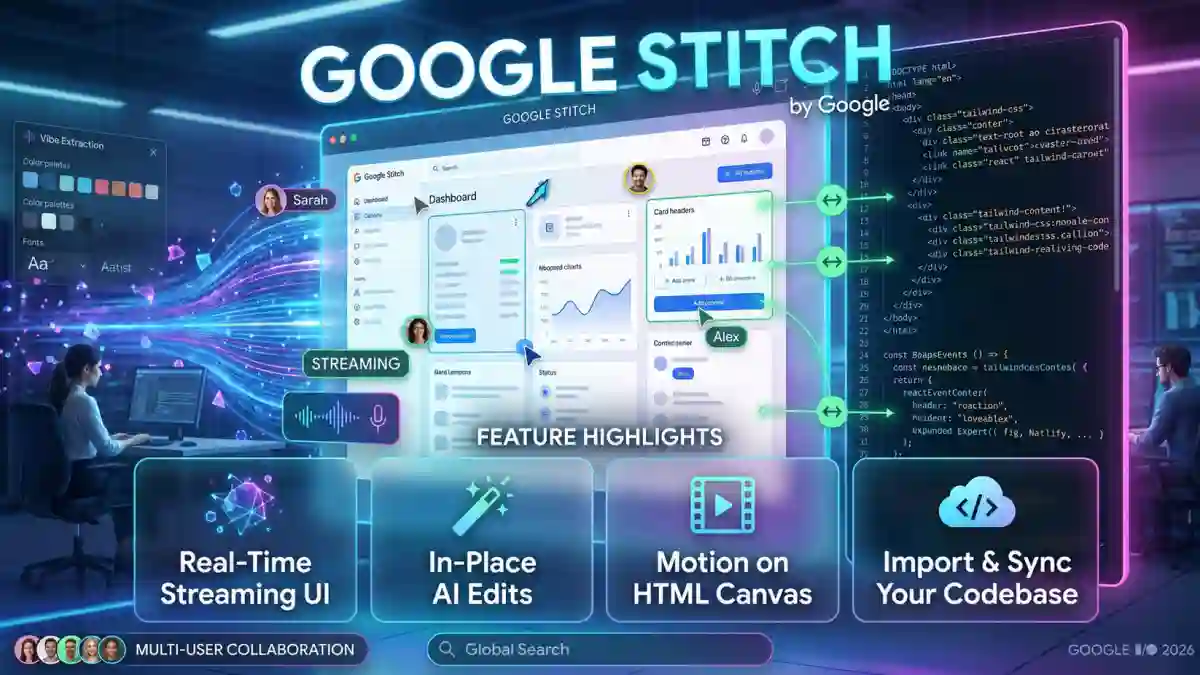
At Google I/O 2026 this week, Google fundamentally redefined how we build interfaces. What started in Google Labs as a simple text-to-image UI generator has officially evolved into a real-time, AI-native software design canvas: Google Stitch.
For agencies, template creators, and full-stack developers, the traditional gap between visual design and functional frontend code has always been a massive friction point. Figma is great for mockups, but translating those pixels into clean, responsive components takes time. With this week’s updates, specifying a UI and actually building it are converging into a single workflow.
Here is a breakdown of the major upgrades Google just dropped for Stitch and why they matter for your next production build.
1. Real-Time Streaming Generation
The turn-based “prompt, wait, and pray” generation model is gone. Instead of watching a loading bar, Gemini now streams UI components onto the infinite canvas live.
Because generation is real-time, you can use Voice Canvas to steer the agent mid-flight. If a layout is heading the wrong way, you can tell it to stop and pivot instantly. It changes the experience from ordering a design to actively collaborating on one.
2. Start With Your Existing Design
Blank-page syndrome is a major hurdle with generative AI. Now, you no longer have to rely entirely on text prompts to dictate a layout structure. You can upload an existing wireframe, a rough sketch, or a screenshot of an older project, and Stitch uses it as the foundational skeleton. The AI handles the styling, responsive scaling, and component generation while respecting your exact layout intent.
3. Surgical In-Place AI Edits
Previously, tweaking a generated design was a gamble—asking for a different button style might cause the AI to hallucinate a completely different header. Now, you can highlight a specific element (like a pricing card) and prompt the AI to edit only that component on the spot. You lock in the 90% of the screen you love and iterate exclusively on the 10% that needs work.
4. Motion on an HTML-Native Canvas
Stitch doesn’t just draw flat pixels; it writes actual DOM elements. Because the canvas natively understands web rendering, you can add, edit, and preview CSS animations, hover states, and page transitions directly in the workspace. You can finally prototype motion using the exact frontend code that will ship to production.
5. Vibe Extraction and DESIGN.md
Maintaining strict design systems across AI generations used to be nearly impossible. Now, you can paste a URL—for example, a site with a heavy, high-contrast Neo-brutalist aesthetic—and Stitch will “scrape the vibe” to instantly style your wireframes.
Google also introduced DESIGN.md. This open-source format captures your exact design tokens:
- Typography and scale
- Border radius and thickness
- Spacing palettes
- Rules for media-text equilibrium
These tokens persist across completely different projects and coding agents, ensuring brand consistency without manual variable mapping.
6. The Expanded Export Pipeline
Stitch is positioning itself as the ultimate middleman in the modern AI-dev stack. The new export routes are massive for rapid deployment:
- .fig: Traditional designers can kick off a project in Stitch and export it directly into Figma for manual refinement.
- Netlify: Push a static frontend prototype live to the web with one click.
- Lovable & Bolt: Export a high-fidelity Stitch UI directly into full-stack AI app builders. This instantly wires up your frontend to a PostgreSQL or Supabase backend, handling authentication and routing without writing the boilerplate.
BONUS: Import and Sync Your Codebase
Historically, AI design tools are a one-way street: you export the code once, and if you touch the repository later, the design file becomes obsolete. This update allows you to bring your existing codebase into Stitch.
The Gemini model interprets your Angular components, Django templates, or standard HTML/Tailwind code, renders it visually on the canvas, and lets you make visual edits that sync directly back to your code. It effectively turns Stitch into a continuous visual editor for your actual repository.
The Industry Takeaway
The broader narrative coming out of I/O 2026 is clear: Google is offering AI-native, code-ready design tools for free while Stitch remains in Labs. The market is already reacting, with Figma’s stock dropping roughly 12% following these announcements.
For those of us building real web applications, this means less time translating mockups and more time focusing on architecture, backend logic, and shipping robust user experiences.