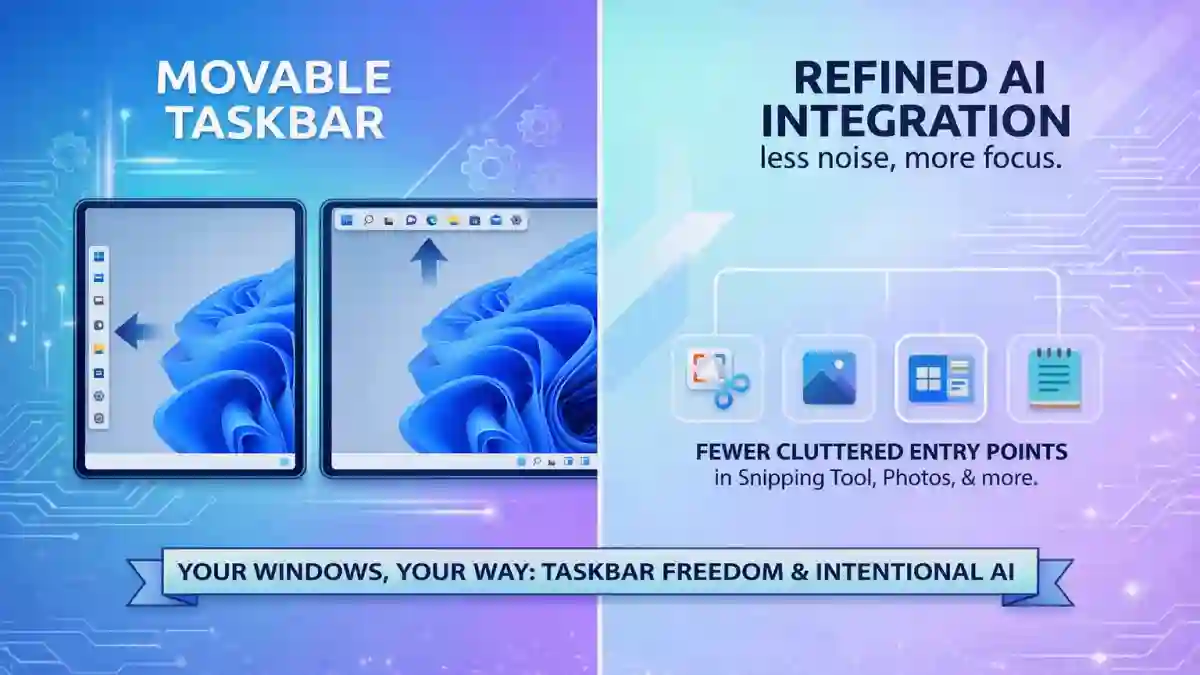
Since its launch, Windows 11 has been a journey of both innovation and restriction. While it brought a sleek, modern aesthetic, it also famously “locked” some of the most beloved features of the Windows experience. Today, Microsoft has officially announced what is being called the “Power User Update” for 2026, and it’s a massive win for the community.
This update isn’t just about new features; it’s about a fundamental shift in design philosophy. Microsoft is moving away from forced AI integration and returning to what users have been asking for: customization, control, and performance.
In this breakdown, we’ll explore the five major pillars of this landmark announcement.
1. The Headliner: The Return of the Movable Taskbar
Since the launch of Windows 11, the “locked” taskbar at the bottom of the screen has been the #1 complaint from long-time users and power users alike. Microsoft is finally reversing this decision.
- What’s Changing: Users will now have the official ability to reposition the taskbar to the top, left, or right of the screen.
- Why it Matters: For users with ultra-wide monitors or specific multi-monitor setups, a vertical taskbar is a productivity essential. It allows for more vertical screen real estate for coding, writing, and browsing.
- The “Listening” Narrative: This is a symbolic win for the Windows community. It shows Microsoft is prioritizing user feedback over their own rigid “simplified” design language.
2. The Copilot Pivot: Quality Over Quantity
In late 2024 and throughout 2025, Microsoft pushed Copilot into every corner of the OS. Now, they are scaling back—not because they are giving up on AI, but because they are making it less “noisy.”
Microsoft calls this shift “Moving from AI Ubiquity to AI Utility.” They want AI to be a tool you seek out when needed, rather than an intrusive presence in every basic utility.
- The “Removal” News: Microsoft is removing Copilot entry points from specific apps where it felt forced, including:
- Snipping Tool & Photos: No more AI prompts cluttering the viewing/editing experience.
- Notepad & Widgets: Reducing “AI bloat” in lightweight tools.
- The Strategy: By “integrating AI where it’s most meaningful,” Microsoft is maturing its approach, ensuring that AI enhances productivity rather than distracting from it.
3. Taking Back Control: Windows Updates & Widgets
Microsoft is finally addressing the “anxiety” of using Windows—specifically the fear of forced restarts and cluttered news feeds.
- Update Sovereignty: You can now restart or shut down your PC without being forced to install updates. This is a huge quality-of-life improvement for users in a rush.
- OOBE Flexibility: You can now skip updates during the initial device setup (Out of Box Experience) to get to your desktop and start working faster.
- Quiet Widgets: The “Discover” feed is being overhauled to be “quieter.” This means fewer clickbait news headlines and a renewed focus on functional widgets like Weather, Calendar, and To-Do.
4. Performance Polish: A Faster File Explorer
File Explorer has been criticized for being sluggish and prone to flickering since the Windows 11 redesign. This update focuses heavily on “under the hood” mechanics to restore the snappiness users expect:
- Reduced Flicker: The UI feels significantly more stable during navigation.
- Speed: Faster launch times and smoother folder transitions.
- Reliability: Microsoft has focused on reducing crashes during heavy file operations and large-scale transfers.
5. A More Transparent Insider Program
Microsoft is admitting that the Windows Insider experience became confusing for many testers. The 2026 update introduces a more streamlined approach to feedback.
- Clearer Channels: New UI indicators make it obvious what version you are testing and when those features are expected to reach the general public.
- The New Feedback Hub: A redesigned interface makes it easier to report bugs and, more importantly, track how Microsoft is acting on that feedback.
The Bottom Line: Microsoft is Finally Listening
The 2026 Windows 11 roadmap is a clear signal that Microsoft is entering a more mature phase of the OS lifecycle. By bringing back the movable taskbar and refining its AI strategy, they are acknowledging that “modern” shouldn’t have to mean “restrictive.”
This announcement proves that user feedback actually matters. If you’ve been hesitant about Windows 11 due to its limitations, the “Power User Update” might finally be the reason to make the switch.